Techfullpost

Technology

Revolutionizing Industries: How Virtual Reality is Changing Lives Today

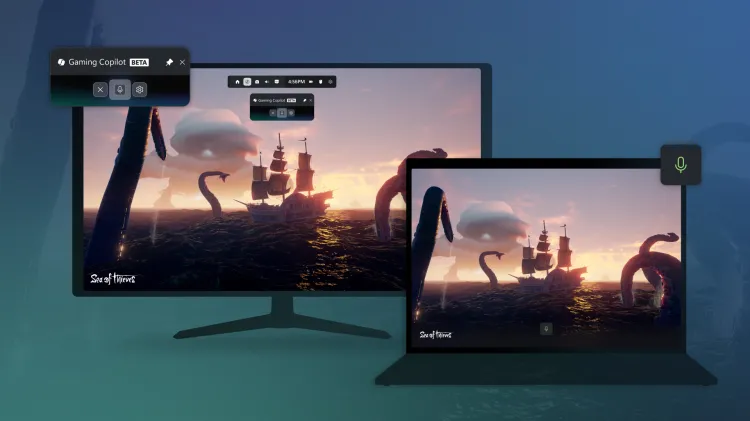
new Gaming Copilot

Imagine if doctors could practice surgery in a realistic, risk-free manner using virtual reality (VR) – a possibility that is already becoming a reality today.

The transformation brought about by immersive technologies extends to various sectors, with notable positive effects. Here, we present several examples of how individuals and businesses worldwide are harnessing these immersive technologies and the tangible impact they are making.

Revolutionizing Medical Training with VR Surgery Simulations

One industry experiencing a significant transformation is medical training, particularly in the realm of surgery. In a world where over 5 billion people lack access to safe surgical procedures due to a shortage of trained surgeons, virtual reality (VR) is stepping in to bridge the gap. Fundamental Surgery, a virtual learning platform, is empowering medical teams to enhance their surgical skills within a risk-free environment. This innovative approach is not only raising the quality of training but also leading to improved patient outcomes. The integration of haptic feedback has notably boosted surgical proficiency, instilling confidence in medical professionals to perform complex surgeries with precision.

Elevating Athletes’ Performance Through VR Training

The impact of immersive technologies isn’t limited to medicine; it extends to the world of sports as well. Athletes, like English Premier League footballer Marcus Rashford, are increasingly turning to technology for injury recovery and skill enhancement. VR training keeps athletes closely connected to their sport, aiding skill improvement without the physical strain associated with traditional training methods. Immersive technologies are not just transforming games; they are revolutionizing various industries, unlocking human potential and redefining what can be achieved.

Enhancing Athletic Performance with VR Analysis

Sports training programs are witnessing a transformation with the integration of virtual reality (VR). Rezzil, a company spanning various sports, has observed remarkable improvements in athlete confidence and competence through the adoption of VR in their training routines. VR allows athletes to delve deeper into the analysis of their movements and cognitive abilities, resulting in heightened precision and preparedness. For Formula One drivers, VR enhances their environmental reactions and real-time responses to high-stress scenarios, while footballers can refine their precision skills without the physical demands of traditional training, such as heading a ball.

VR Empowers Welding Students with Realistic Training

In vocational training, virtual reality (VR) is revolutionizing the learning experience. Ocuweld, a proprietary VR app developed by StrataTech, significantly reduces the stress associated with on-the-job errors for welding students. It allows them to focus on essential aspects, maintain engagement, and practice for extended durations outside the conventional laboratory environment. This immersive training not only increases students’ employability but also enriches their learning experience.

Aviation Industry Adopts Virtual and Mixed Reality

The aviation sector is embracing virtual and mixed reality for diverse applications, ranging from product development to training and customer engagement. Lufthansa Group, for example, leverages these technologies to introduce product innovations, train crews and mechanics, and organize product events for passengers in the metaverse. These innovations enable them to reach a broader audience in less time, ultimately enhancing the customer experience.

AR and VR Transforming Science Education

In the realm of education, augmented reality (AR) and virtual reality (VR) are revolutionizing the way students comprehend complex subjects like chemistry. Nanome, a molecular visualization platform, brings chemistry concepts to life in three dimensions. Students can immerse themselves in molecular structures, manipulate them, and gain a deeper understanding of the subject. This interactive approach increases engagement and intuition, making science more accessible and engaging for learners.

The positive impact of immersive technologies is already evident, and as metaverse technologies continue to advance, more opportunities are expected to emerge, further maximizing the benefits of these innovations. From healthcare to sports, vocational training to aviation, and education, virtual and augmented reality are changing the landscape and improving lives across a spectrum of industries.
ADVERTISEMENT
RECOMMENDED
Technology

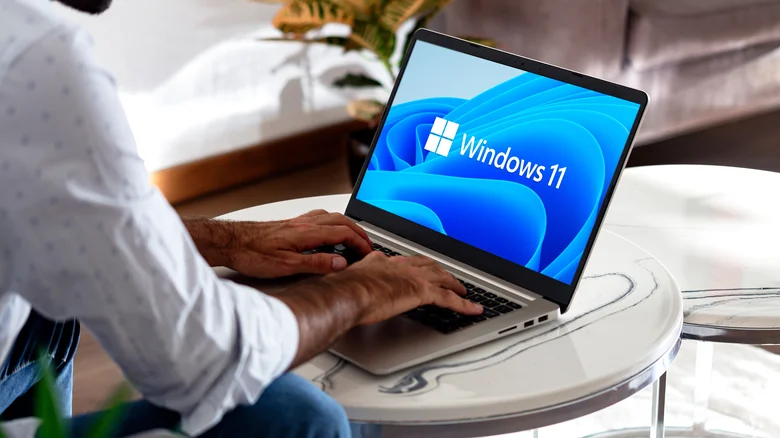
Windows 11 Compatibility: The Hardware Requirements Your PC Must Meet in 2026

By George Mensah 4 min read

Millions of PC owners still running Windows 10 face a decision in 2026: upgrade to Windows 11 or find another way to keep their computer secure. The answer depends on hardware most people never think about until it becomes a problem.

Microsoft built specific technical requirements into Windows 11 when it launched, and those requirements haven’t loosened. A computer needs a compatible 64-bit processor running at 1 GHz or faster with at least two cores. It also needs a minimum of 4GB of memory and 64GB of available storage. Older machines built before 2018 often fall short on one or more of these marks, particularly around processor compatibility, even when the chip itself still runs fast enough for everyday tasks.

Firmware matters just as much as raw processing power. Windows 11 requires a computer to use UEFI firmware with Secure Boot enabled, a setup that replaced the older BIOS standard on most machines built in the last several years. The operating system also requires Trusted Platform Module (TPM) 2.0, a security chip that handles encryption keys and protects against certain types of malware. Many PCs from the mid-2010s either lack a TPM chip entirely or ship with an older version that doesn’t meet the 2.0 standard.

Graphics hardware carries its own requirement. A PC needs a graphics card or integrated graphics processor that supports DirectX 12 or later and runs a WDDM 2.0 driver. Most computers sold since 2015 clear this bar, but older business desktops and budget laptops sometimes don’t.

Microsoft says these combined requirements exist to give Windows 11 systems a stable foundation. Machines that meet the full list get consistent driver support and fewer compatibility issues over the life of the operating system, according to the company. A computer that squeaks by on one requirement while failing another can still run into problems even if Windows 11 technically installs.

Display specifications round out the list. Windows 11 calls for a screen with a resolution of at least 720p, a diagonal measurement greater than 9 inches, and support for 8 bits per color channel. These numbers cover the vast majority of monitors and laptop screens sold in the past decade, so display compatibility rarely trips up users the way processor or TPM requirements do.

Passing every listed requirement still doesn’t guarantee full functionality. Some Windows 11 features and built-in apps carry additional hardware demands beyond the baseline list, so a PC that installs the operating system without issue may still miss out on specific tools or capabilities tied to newer chipsets.

Checking compatibility before you upgrade

Owners of older PCs don’t have to guess whether their hardware qualifies. Microsoft’s PC Health Check app scans a computer and reports whether it meets Windows 11’s requirements, flagging any specific component that falls short. Users who recently swapped out hardware, such as adding a TPM module or upgrading a processor, should know that Windows Update can take up to 24 hours to refresh a device’s eligibility status after the change.

For PC owners whose hardware can’t make the jump, Microsoft has built in a fallback. The company’s Consumer Extended Security Updates program lets eligible Windows 10 version 22H2 computers keep receiving security patches after mainstream support ends. The program doesn’t add new features, and Microsoft does not offer technical support through it. ESU coverage for Windows 10 runs through October 12, 2027, giving those users a defined window rather than an open-ended extension.

Microsoft offers three ways to enroll in ESU. Users can sync their PC settings through a Microsoft account at no cost, redeem 1,000 Microsoft Rewards points, or pay a one-time fee of $30 plus applicable tax. A single ESU license covers up to 10 devices, which makes it a practical option for households or small offices juggling several older machines at once.

The combination of PC Health Check and ESU gives Windows 10 users a clear path forward. Those with newer hardware can confirm eligibility and move to Windows 11 without guesswork. Those stuck with older machines get roughly a year and a half of continued security coverage while they weigh whether to buy new hardware or replace their PC outright. Either way, the requirements Microsoft laid out for Windows 11 remain the deciding factor in which group a given computer falls into.

Technology

Why the Boeing 757 Was Dubbed the Flying Pencil

By George Mensah 4 min read

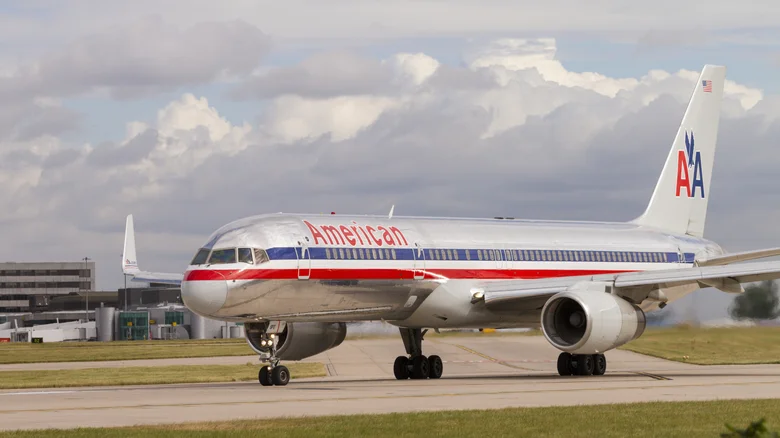
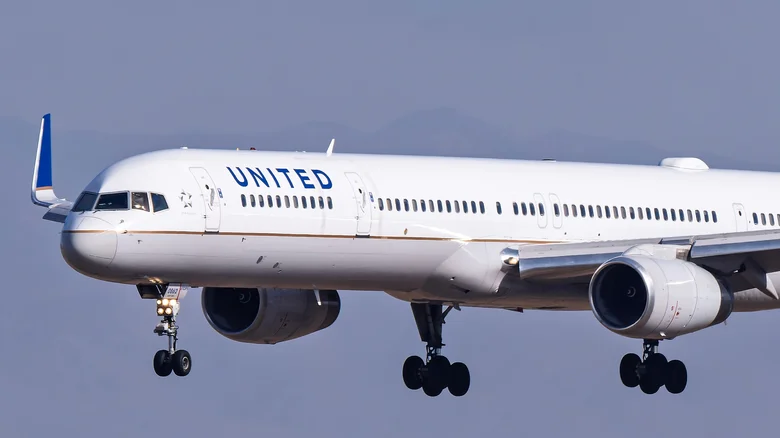
Nicknames hold a special place in the world of aviation, often reflecting an aircraft’s design, performance, or cultural significance. While some planes earn majestic titles like the Boeing 747’s “Queen of the Skies,” others carry quirky, less flattering labels. One such moniker is the Flying Pencil, a name given to the Boeing 757 due to its slim, elongated appearance. Despite its unassuming nickname, the Flying Pencil has carved a legacy as one of the most impactful and versatile narrow-body aircraft in history. Let’s take a closer look at what makes this iconic plane so remarkable.

The Origin of the Flying Pencil Nickname

The nickname Flying Pencil originates from the Boeing 757’s distinctive narrow fuselage and extended length, making it visually similar to a pencil in flight. Unlike the wide-body Boeing 747, which prioritized sheer size and passenger capacity, the 757 was designed to be lean, efficient, and adaptable. This design choice allowed it to operate on shorter runways and at smaller airports, where larger planes like the 747 couldn’t land.

Introduced in 1982, the Boeing 757 was developed to address the growing demand for medium-range flights. Airlines required an aircraft that could bridge the gap between smaller regional jets and larger international carriers. The 757’s long, slender design was the perfect solution, combining increased seating capacity with improved fuel efficiency, which made it an ideal choice for airlines worldwide.

Why Boeing Designed the 757 to Be Slim and Efficient

The Boeing 757 was conceived during a transformative period in aviation. As passenger numbers soared in the late 20th century, airlines needed aircraft that could accommodate more travelers without the logistical challenges of wide-body jets. The 747 had already revolutionized long-haul travel, but there was a clear demand for a narrow-body aircraft capable of serving high-traffic domestic and regional routes.

The 757 filled this niche perfectly. Its narrow-body design allowed it to carry up to 239 passengers while remaining agile enough to land at airports with shorter runways. This flexibility made the 757 invaluable for airlines operating diverse routes. Its slender build wasn’t just for aesthetics; it was a deliberate choice to maximize capacity and efficiency while maintaining compatibility with smaller airports.

The 757-300, the longest variant in the series, stretched an impressive 179 feet, making it the world’s longest single-aisle, twin-engine jet. Pilots and aviation enthusiasts embraced the nickname Flying Pencil as a term of endearment, reflecting both its unique design and its significant role in the industry.

The Flying Pencil’s Performance and Impact

Though its nickname might suggest fragility, the Flying Pencil was anything but. The 757 quickly proved itself a workhorse for airlines, offering exceptional performance, reliability, and fuel efficiency. Compared to its predecessor, the Boeing 727, the 757 provided almost 50% better fuel economy while accommodating more passengers. For airlines like Delta, which used the 757 extensively, the aircraft became a cornerstone of their fleet.

The 757’s powerful engines and advanced aerodynamics allowed it to operate at high altitudes and on challenging routes, further enhancing its appeal. Its versatility extended beyond passenger service, as the 757 was also adapted for cargo and military use, cementing its reputation as one of the most adaptable planes ever built.

Not the Only Flying Pencil in History

Interestingly, the Boeing 757 isn’t the first aircraft to be nicknamed the Flying Pencil. During World War II, the German Dornier Do 17 bomber was also called the Flying Pencil due to its sleek, narrow design. Known as the “Fliegender Bleistift” in German, the Dornier Do 17 featured a slim fuselage and twin engines, giving it a distinctive silhouette. While vastly different in purpose and function, both the Dornier Do 17 and the Boeing 757 share a legacy of innovation tied to their unique designs.

The Legacy of the Flying Pencil

Despite production ending in 2004, the Boeing 757 remains a beloved aircraft among pilots, airlines, and passengers alike. Its long, slender frame and impressive capabilities redefined what a narrow-body aircraft could achieve, setting new standards for efficiency and performance. Today, many 757s are still in active service, a testament to their enduring reliability and versatility.

The Flying Pencil may have started as a nickname rooted in its design, but it has become a symbol of ingenuity and practicality in aviation. Whether it’s the 757’s groundbreaking role in medium-range travel or its ability to adapt to a wide variety of missions, the Flying Pencil stands as an icon of thoughtful engineering and lasting impact.

ADVERTISEMENT
Receive the latest news

Subscribe To Our Weekly Newsletter

Get notified about new articles