
Techfullpost

Technology

How to Stay Updated on Technology

technology/techfullnews

In today’s fast-paced digital age, technology is constantly evolving, and staying updated has become essential to remain relevant in both personal and professional spheres. Whether you’re a tech enthusiast, a business professional, or someone simply looking to leverage technology for everyday tasks, staying informed about the latest trends, breakthroughs, and innovations is crucial. In this comprehensive guide, we’ll explore effective strategies to help you stay updated on technology.

  1. Subscribe to Tech News Websites and Blogs

One of the most convenient ways to stay updated on technology is by subscribing to reputable tech news websites and blogs. Websites like TechCrunch, techfullpost, The Verge, and Wired provide insightful articles, product reviews, and up-to-date information on cutting-edge technologies. By subscribing to their newsletters or following their social media channels, you’ll receive regular updates directly to your inbox or feed.

  1. Engage with Online Tech Communities

Joining online tech communities and forums is an excellent way to connect with like-minded individuals, share knowledge, and stay updated on tech discussions. Websites like Reddit, Stack Overflow, and GitHub offer vibrant tech communities where experts and enthusiasts discuss the latest advancements, troubleshoot issues, and share valuable insights.

  1. Follow Influential Tech Experts and Thought Leaders

Social media platforms like Twitter and LinkedIn are great places to follow influential tech experts and thought leaders. Industry veterans, CEOs, and technology influencers often share their perspectives, experiences, and news updates through these platforms. Their posts can provide valuable insights and direct you to valuable resources.

  1. Participate in Webinars and Virtual Events

With the rise of virtual events and webinars, attending online conferences and tech-related webinars has become more accessible than ever. These events often feature industry experts discussing the latest trends, breakthroughs, and future predictions in the tech world. Participating in such events allows you to gain firsthand knowledge and network with professionals in the field.

  1. Utilize Podcasts and YouTube Channels

Podcasts and YouTube channels dedicated to technology offer a wealth of information in an engaging format. Whether you prefer audio-based discussions or video content, there are numerous tech-focused podcasts and YouTube channels that cover a wide range of topics, from software development to gadget reviews.

  1. Set Google Alerts for Relevant Keywords

Take advantage of Google Alerts by setting up notifications for specific keywords related to technology topics you’re interested in. Google will send you email updates whenever there’s news or articles matching your chosen keywords, ensuring you never miss essential information.

Conclusion

Staying updated on technology is a continuous process that requires proactive efforts and an open mind to embrace change. By following the strategies mentioned in this guide, you can stay ahead of the curve, remain informed about the latest tech trends, and make informed decisions in this ever-evolving digital landscape. Embrace the vast array of resources available online, and let your curiosity guide you on an exciting journey of tech discovery and learning.

ADVERTISEMENT
RECOMMENDED
Technology

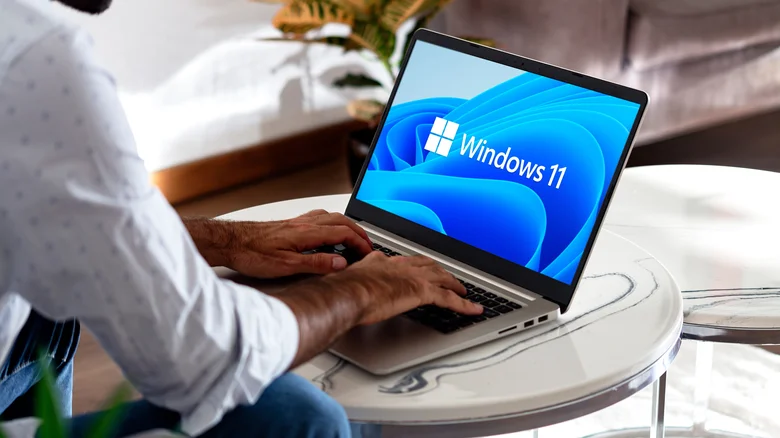
Windows 11 Compatibility: The Hardware Requirements Your PC Must Meet in 2026

By George Mensah 4 min read

Millions of PC owners still running Windows 10 face a decision in 2026: upgrade to Windows 11 or find another way to keep their computer secure. The answer depends on hardware most people never think about until it becomes a problem.

Microsoft built specific technical requirements into Windows 11 when it launched, and those requirements haven’t loosened. A computer needs a compatible 64-bit processor running at 1 GHz or faster with at least two cores. It also needs a minimum of 4GB of memory and 64GB of available storage. Older machines built before 2018 often fall short on one or more of these marks, particularly around processor compatibility, even when the chip itself still runs fast enough for everyday tasks.

Firmware matters just as much as raw processing power. Windows 11 requires a computer to use UEFI firmware with Secure Boot enabled, a setup that replaced the older BIOS standard on most machines built in the last several years. The operating system also requires Trusted Platform Module (TPM) 2.0, a security chip that handles encryption keys and protects against certain types of malware. Many PCs from the mid-2010s either lack a TPM chip entirely or ship with an older version that doesn’t meet the 2.0 standard.

Graphics hardware carries its own requirement. A PC needs a graphics card or integrated graphics processor that supports DirectX 12 or later and runs a WDDM 2.0 driver. Most computers sold since 2015 clear this bar, but older business desktops and budget laptops sometimes don’t.

Microsoft says these combined requirements exist to give Windows 11 systems a stable foundation. Machines that meet the full list get consistent driver support and fewer compatibility issues over the life of the operating system, according to the company. A computer that squeaks by on one requirement while failing another can still run into problems even if Windows 11 technically installs.

Display specifications round out the list. Windows 11 calls for a screen with a resolution of at least 720p, a diagonal measurement greater than 9 inches, and support for 8 bits per color channel. These numbers cover the vast majority of monitors and laptop screens sold in the past decade, so display compatibility rarely trips up users the way processor or TPM requirements do.

Passing every listed requirement still doesn’t guarantee full functionality. Some Windows 11 features and built-in apps carry additional hardware demands beyond the baseline list, so a PC that installs the operating system without issue may still miss out on specific tools or capabilities tied to newer chipsets.

Checking compatibility before you upgrade

Owners of older PCs don’t have to guess whether their hardware qualifies. Microsoft’s PC Health Check app scans a computer and reports whether it meets Windows 11’s requirements, flagging any specific component that falls short. Users who recently swapped out hardware, such as adding a TPM module or upgrading a processor, should know that Windows Update can take up to 24 hours to refresh a device’s eligibility status after the change.

For PC owners whose hardware can’t make the jump, Microsoft has built in a fallback. The company’s Consumer Extended Security Updates program lets eligible Windows 10 version 22H2 computers keep receiving security patches after mainstream support ends. The program doesn’t add new features, and Microsoft does not offer technical support through it. ESU coverage for Windows 10 runs through October 12, 2027, giving those users a defined window rather than an open-ended extension.

Microsoft offers three ways to enroll in ESU. Users can sync their PC settings through a Microsoft account at no cost, redeem 1,000 Microsoft Rewards points, or pay a one-time fee of $30 plus applicable tax. A single ESU license covers up to 10 devices, which makes it a practical option for households or small offices juggling several older machines at once.

The combination of PC Health Check and ESU gives Windows 10 users a clear path forward. Those with newer hardware can confirm eligibility and move to Windows 11 without guesswork. Those stuck with older machines get roughly a year and a half of continued security coverage while they weigh whether to buy new hardware or replace their PC outright. Either way, the requirements Microsoft laid out for Windows 11 remain the deciding factor in which group a given computer falls into.

Technology

Why the Boeing 757 Was Dubbed the Flying Pencil

By George Mensah 4 min read

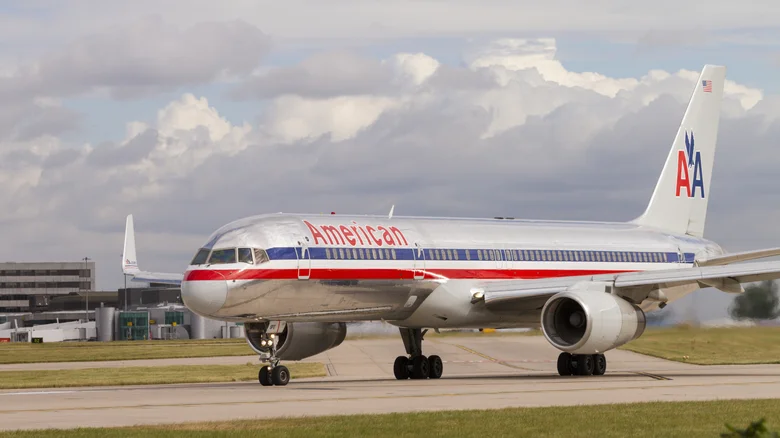
Nicknames hold a special place in the world of aviation, often reflecting an aircraft’s design, performance, or cultural significance. While some planes earn majestic titles like the Boeing 747’s “Queen of the Skies,” others carry quirky, less flattering labels. One such moniker is the Flying Pencil, a name given to the Boeing 757 due to its slim, elongated appearance. Despite its unassuming nickname, the Flying Pencil has carved a legacy as one of the most impactful and versatile narrow-body aircraft in history. Let’s take a closer look at what makes this iconic plane so remarkable.

The Origin of the Flying Pencil Nickname

The nickname Flying Pencil originates from the Boeing 757’s distinctive narrow fuselage and extended length, making it visually similar to a pencil in flight. Unlike the wide-body Boeing 747, which prioritized sheer size and passenger capacity, the 757 was designed to be lean, efficient, and adaptable. This design choice allowed it to operate on shorter runways and at smaller airports, where larger planes like the 747 couldn’t land.

Introduced in 1982, the Boeing 757 was developed to address the growing demand for medium-range flights. Airlines required an aircraft that could bridge the gap between smaller regional jets and larger international carriers. The 757’s long, slender design was the perfect solution, combining increased seating capacity with improved fuel efficiency, which made it an ideal choice for airlines worldwide.

Why Boeing Designed the 757 to Be Slim and Efficient

The Boeing 757 was conceived during a transformative period in aviation. As passenger numbers soared in the late 20th century, airlines needed aircraft that could accommodate more travelers without the logistical challenges of wide-body jets. The 747 had already revolutionized long-haul travel, but there was a clear demand for a narrow-body aircraft capable of serving high-traffic domestic and regional routes.

The 757 filled this niche perfectly. Its narrow-body design allowed it to carry up to 239 passengers while remaining agile enough to land at airports with shorter runways. This flexibility made the 757 invaluable for airlines operating diverse routes. Its slender build wasn’t just for aesthetics; it was a deliberate choice to maximize capacity and efficiency while maintaining compatibility with smaller airports.

The 757-300, the longest variant in the series, stretched an impressive 179 feet, making it the world’s longest single-aisle, twin-engine jet. Pilots and aviation enthusiasts embraced the nickname Flying Pencil as a term of endearment, reflecting both its unique design and its significant role in the industry.

The Flying Pencil’s Performance and Impact

Though its nickname might suggest fragility, the Flying Pencil was anything but. The 757 quickly proved itself a workhorse for airlines, offering exceptional performance, reliability, and fuel efficiency. Compared to its predecessor, the Boeing 727, the 757 provided almost 50% better fuel economy while accommodating more passengers. For airlines like Delta, which used the 757 extensively, the aircraft became a cornerstone of their fleet.

The 757’s powerful engines and advanced aerodynamics allowed it to operate at high altitudes and on challenging routes, further enhancing its appeal. Its versatility extended beyond passenger service, as the 757 was also adapted for cargo and military use, cementing its reputation as one of the most adaptable planes ever built.

Not the Only Flying Pencil in History

Interestingly, the Boeing 757 isn’t the first aircraft to be nicknamed the Flying Pencil. During World War II, the German Dornier Do 17 bomber was also called the Flying Pencil due to its sleek, narrow design. Known as the “Fliegender Bleistift” in German, the Dornier Do 17 featured a slim fuselage and twin engines, giving it a distinctive silhouette. While vastly different in purpose and function, both the Dornier Do 17 and the Boeing 757 share a legacy of innovation tied to their unique designs.

The Legacy of the Flying Pencil

Despite production ending in 2004, the Boeing 757 remains a beloved aircraft among pilots, airlines, and passengers alike. Its long, slender frame and impressive capabilities redefined what a narrow-body aircraft could achieve, setting new standards for efficiency and performance. Today, many 757s are still in active service, a testament to their enduring reliability and versatility.

The Flying Pencil may have started as a nickname rooted in its design, but it has become a symbol of ingenuity and practicality in aviation. Whether it’s the 757’s groundbreaking role in medium-range travel or its ability to adapt to a wide variety of missions, the Flying Pencil stands as an icon of thoughtful engineering and lasting impact.

ADVERTISEMENT
Receive the latest news

Subscribe To Our Weekly Newsletter

Get notified about new articles