Techfullpost

News

OpenAI disputes culpability in the teen suicide action, citing’misuse’ of ChatGPT

OpenAI disputes culpability in the teen suicide action

OpenAI has formally replied to a wrongful-death lawsuit filed by the family of 16-year-old Adam Raine, contending that the tragedy was due to what it called the teen’s “misuse” and “unauthorized use” of ChatGPT – and not from the chatbot’s design or behavior.

The legal response, first reported by NBC News, marks the company’s first detailed rebuttal since the lawsuit was filed in August in California Superior Court. The case has drawn nationwide attention because it centers on a difficult and deeply emotional question: What responsibility do AI developers have when their products are used in sensitive or dangerous ways by minors?

OpenAI Cites Terms of Use and Section 230 Protections

In its court filing, OpenAI said Raine’s death was the result of actions outside the intended scope of the platform, pointing to several violations of its terms of use. Those terms restrict access by minors without parental consent and prohibit using the system for discussions involving self-harm.

The company also invoked Section 230 of the Communications Decency Act, a long-standing legal shield that limits liability for online platforms when it comes to user interactions and user-generated content. OpenAI argued that the family’s claims are barred under that federal protection.

Company: ChatGPT Kept Telling Him to Get Help

According to reporting from NBC News and Bloomberg, OpenAI told the court that ChatGPT repeatedly encouraged Raine to reach out to crisis-support resources, such as helplines, mental-health professionals, and trusted adults. The company said these reminders appeared more than 100 times throughout his months-long conversations.

“A full reading of his chat history shows that his death, while devastating, was not caused by ChatGPT,” said OpenAI, insisting that the AI system didn’t encourage dangerous actions and was never designed to provide support in high-risk emotional situations.

Family Says Responsibility Lies With OpenAI’s Product Design

The Raine family, on the contrary, believes that the teenager became increasingly dependent on the chatbot, which they argue evolved from a helpful academic tool to an emotional one, actually worsening his distress.

Their lawsuit alleges that “intentional design choices” at the time of the rollout of GPT-4o, one of OpenAI’s most advanced models, made for an environment that could mislead and manipulate vulnerable users. They also say the company failed to build appropriate safeguards to protect minors.

The complaint points out that GPT-4o’s release helped fuel OpenAI’s valuation jump from $86 billion to around $300 billion. It accuses the company of putting rapid product growth ahead of safety.

OpenAI Says Excerpts from Family Lack Context

In a Tuesday blog post, OpenAI addressed the public controversy for the first time since the lawsuit gained national headlines. The company said it would defend itself “with respect for the complexity and human impact” surrounding the case, noting that some excerpts in the family’s complaint were taken from longer messages that “require more context.”

The full transcripts were filed under seal with the court by OpenAI, meaning they are not publicly available.

New Safeguards Rolled Out After Lawsuit

The day after the lawsuit was filed, OpenAI announced the introduction of parental controls on its platform-a feature many safety experts had been urging for months. Since then, the company has rolled out additional safeguards aimed at helping protect teens when conversations get emotionally sensitive.

These changes include stronger detection of crisis-related language and more consistent redirection to appropriate help resources.

A Landmark Case for the AI Industry

The lawsuit comes at a time when regulators, lawmakers, and parents are increasingly concerned about how AI interacts with young users. With more teens turning to chatbots for help with everything from academics to companionship, experts say the case could set an important legal precedent about the responsibilities of AI developers. Both sides are preparing for what could be one of the first major court battles testing AI liability, youth safety and the limits of Section 230 in the age of advanced artificial intelligence.
ADVERTISEMENT
RECOMMENDED
News

Xbox Copilot from Microsoft is now available on Windows 11 PCs globally

By George Mensah 3 min read

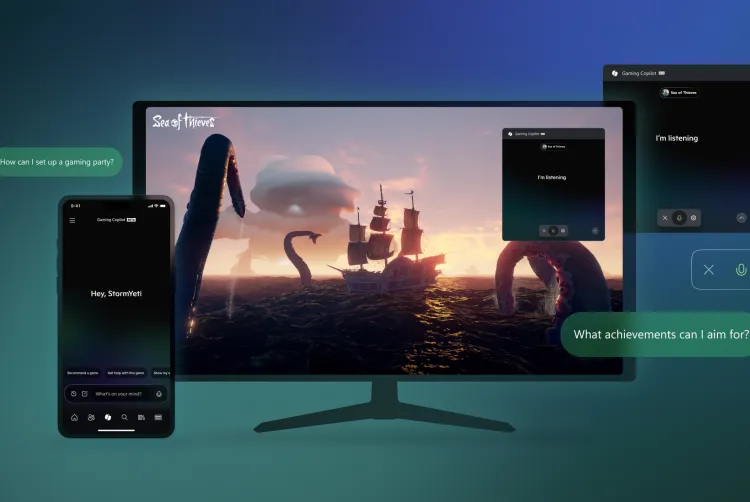
Microsoft is taking a bold step forward in blending artificial intelligence with gaming experiences. After weeks of limited testing, the company has officially begun rolling out its new Gaming Copilot to all Windows 11 users worldwide, with availability in nearly every region except mainland China. What started as a small preview has now become a global release, marking one of Microsoft’s most ambitious pushes into AI-powered gaming assistance.

Gaming Copilot Arrives on Windows 11

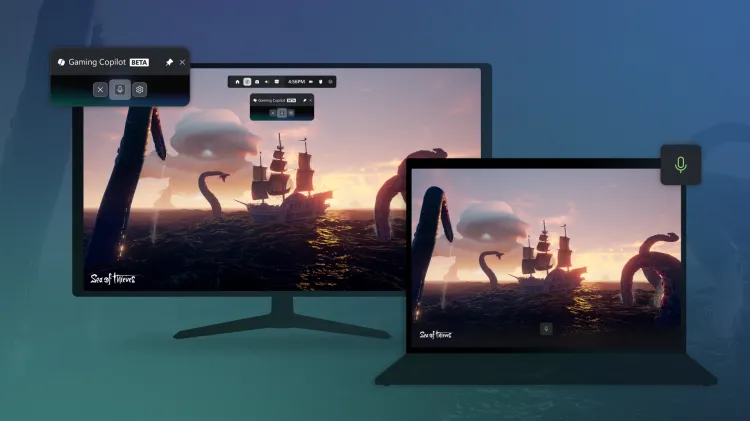
As part of today’s rollout, PC players will begin seeing Gaming Copilot integrated directly into the Windows Game Bar, the native overlay tool designed for quick access during gameplay. According to Taylor O’Malley, Principal Program Manager at Xbox, the rollout will happen gradually over the next few weeks.

Unlike traditional overlays or third-party tools, Gaming Copilot is more than just a widget. It features a built-in voice mode, enabling players to interact with the AI hands-free. This means you no longer need to pause or minimize your game—simply ask Copilot for guidance, and it responds in real time. Even more impressive, Copilot can analyze in-game screenshots to provide context-specific answers. For instance, if you’re struggling against a challenging boss, you can ask Copilot for help without having to explain the scenario in detail.

Expanding to Mobile and Beyond

The innovation doesn’t stop on PC. Microsoft has confirmed that Gaming Copilot will launch on the Xbox mobile app for both iOS and Android devices starting next month. This allows gamers to use their smartphone or tablet as a second screen companion, freeing up their main display for uninterrupted gameplay.

Additionally, Microsoft is preparing to optimize the Gaming Copilot experience for its upcoming Xbox Ally handheld devices, ensuring seamless integration for on-the-go gaming. Future updates are also expected to bring Copilot to Xbox consoles, expanding its reach across Microsoft’s entire gaming ecosystem.

What Can Gaming Copilot Do?

The AI assistant is designed to be more than a digital helper. Current features include:

  • Game Recommendations: Discover new titles based on your preferences and play history.
  • Achievement Tracking: Instantly view your most recent Xbox achievements without leaving your game.
  • Real-Time Coaching: Get strategies, tips, and recommendations tailored to your gameplay.
  • Team Support: In competitive games like Overwatch 2, Copilot can suggest the best hero picks to complement your squad.

By combining convenience, personalization, and smart AI interaction, Microsoft aims to turn Gaming Copilot into a true gaming coach rather than just a passive assistant.

Why This Matters for the Future of Gaming

Microsoft’s Gaming Copilot represents more than a quality-of-life improvement—it’s a glimpse into the future of AI-driven gaming. As titles grow more complex and competitive, players often seek faster, smarter ways to improve their skills. Copilot has the potential to evolve into an interactive tutor, offering data-driven insights, strategies, and performance reviews, similar to how professional esports coaches train their players.

By bridging PC, mobile, and console platforms, Microsoft is also ensuring that Copilot becomes a unified gaming companion rather than a fragmented feature. This strategy not only strengthens the Xbox ecosystem but also positions Microsoft as a leader in AI integration for entertainment.

Final Thoughts

With Gaming Copilot, Microsoft is reshaping the way players interact with their games. What began as a simple AI widget inside Windows 11 could soon evolve into a personalized AI coach, capable of analyzing gameplay patterns, suggesting strategies, and even enhancing multiplayer teamwork.

As AI becomes an increasingly critical part of modern life, its integration into gaming highlights how technology can enhance—not replace—the human experience. For gamers, Copilot is not just a tool; it’s a sidekick, guide, and mentor all in one.

News

IOS 27 public beta arrives with siri ai overhaul, other Apple updates

By George Mensah 3 min read

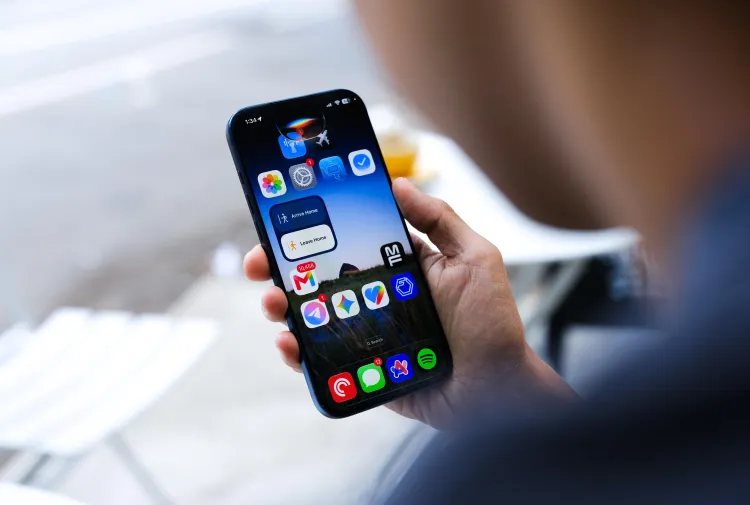
Apple released public betas for iOS 27 and its other major operating system updates on Wednesday, giving users an early look at software set to launch broadly this fall. The headline addition this year is Siri AI, the long-delayed overhaul of Siri that adds AI-powered capabilities to the assistant. Early testing shows the feature actually functions as intended, though its responses tend to stay brief rather than conversational.

Apple also opened public betas for iPadOS 27, watchOS 27, and macOS 27 Golden Gate alongside the iOS update. All four betas are available now for anyone willing to install pre-release software on their devices.

What to expect from beta software

Installing a public beta comes with tradeoffs. Users testing early software may encounter glitches, app crashes, or faster battery drain than they’re used to on a stable release. Apple’s betas are functional but not fully polished, since the company uses this testing period to catch bugs before the official fall release. Anyone considering the install should weigh whether they’re comfortable dealing with those issues on a primary device.

Backing up your device before installing any beta is strongly recommended. If a beta causes problems serious enough to warrant reverting to the current public release, a backup makes that process far easier.

How to join the beta program

To install the iOS 27 public beta, visit Apple’s beta software page at beta.apple.com and sign up for the program. After backing up your device, open the Settings app and navigate to General, then Software Update. A “Beta Updates” section will appear near the top of the screen. Tap it, then select the iOS 27 public beta to begin the download.

The process works similarly across Apple’s other platforms. iPad users follow the same steps within iPadOS settings, while Apple Watch and Mac users can find comparable beta enrollment options within their respective settings menus after signing up through the same beta portal.

Siri AI takes center stage

Siri’s AI-powered update has been one of Apple’s most anticipated software changes in recent years, following repeated delays to the project. The version now available in the iOS 27 beta represents Apple’s first public look at the reworked assistant, and early impressions suggest it performs its core functions reliably. Its tendency toward short, direct answers rather than longer conversational responses marks a notable design choice, one that sets it apart from AI assistants built by competitors that lean toward more expansive replies.

For users who rely heavily on Siri for daily tasks, the beta offers a chance to test the new AI capabilities months before the general public gets access when iOS 27 launches this fall alongside new iPhone hardware expected around the same time.

Apple has not detailed a specific release date for the final version of iOS 27, though the company’s pattern in recent years points to a launch timed with new iPhone announcements in September.

ADVERTISEMENT
Receive the latest news

Subscribe To Our Weekly Newsletter

Get notified about new articles