Techfullpost

News

Google just updated its “G” logo

Google just updated its "G" logo

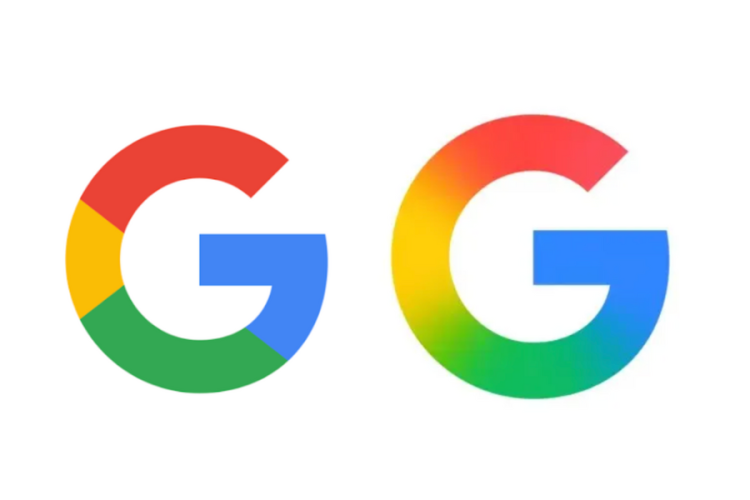
Google has introduced a refreshed version of its iconic multicolored “G” logo, marking the first significant update in nearly a decade. This subtle yet impactful redesign transitions the familiar red, yellow, green, and blue hues into a seamless gradient, aligning with modern design trends and the company’s evolving visual identity.

A Modern Twist on a Classic Brand Symbol

The new gradient “G” logo was first spotted in an update to the Google app on iOS and Pixel devices, as reported by 9to5Google. Unlike the previous version, which featured distinct color blocks, the updated design blends the four primary colors smoothly, creating a more dynamic and contemporary look.

This change follows Google’s last major logo overhaul in September 2015, when the company shifted to a sans-serif typeface and introduced a simplified “G” emblem that retained its signature color scheme. While the latest update is more understated, it reflects Google’s ongoing commitment to a cohesive and forward-thinking brand aesthetic.

Why the Gradient Shift? Aligning with Google’s Broader Design Language

The new gradient treatment isn’t just a stylistic choice—it’s a strategic alignment with Google’s broader design philosophy. Notably, the updated “G” now mirrors the gradient used in the Gemini logo (Google’s AI-powered assistant), reinforcing brand consistency across products.

Key Observations About the Logo Update:

  • Currently Limited Rollout: The gradient “G” is only visible on iOS and Pixel phones as of now. The traditional block-colored version remains on the web and most Android devices.
  • Subtle Yet Meaningful: While the change may seem minor, it signals Google’s focus on modernization and adaptability in its branding.
  • Potential Wider Implementation: If this update follows Google’s past patterns, we may see the gradient logo expand to other platforms soon.

What This Means for Google’s Brand Identity

Google’s logo evolution reflects its commitment to innovation while maintaining brand recognition. The gradient effect adds a touch of sophistication, making the logo feel more integrated with today’s digital design trends.

Why This Matters for Users & Marketers:

  • Visual Continuity: A unified logo style strengthens brand recall.
  • Adaptive Design: The gradient may hint at future design changes across Google’s ecosystem.
  • AI & Brand Synergy: The resemblance to Gemini’s logo suggests deeper integration of AI into Google’s identity.

Final Thoughts: A Sign of More Changes to Come?

While this logo tweak is subtle, it could be the beginning of a broader refresh for Google’s visual branding. As the company continues to innovate—especially in AI and machine learning—its logo may evolve further to represent its cutting-edge advancements.

For now, users can spot the new gradient “G” on select devices, keeping an eye out for potential expansions to other platforms. One thing is clear: Google remains deliberate in its branding, ensuring every change serves a purpose.
ADVERTISEMENT
RECOMMENDED
News

Xbox Copilot from Microsoft is now available on Windows 11 PCs globally

By George Mensah 3 min read

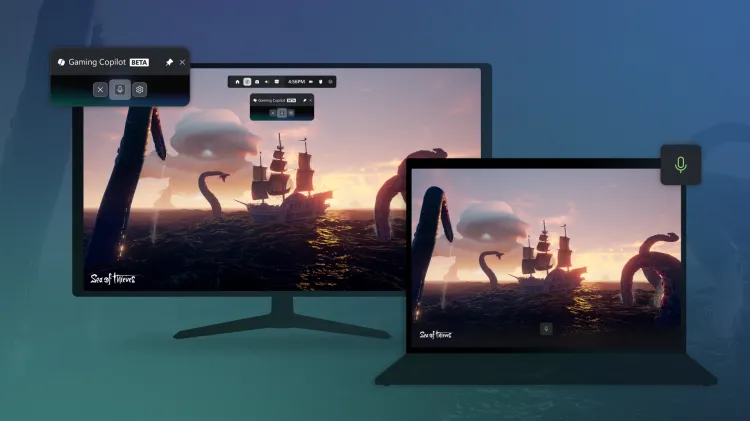
Microsoft is taking a bold step forward in blending artificial intelligence with gaming experiences. After weeks of limited testing, the company has officially begun rolling out its new Gaming Copilot to all Windows 11 users worldwide, with availability in nearly every region except mainland China. What started as a small preview has now become a global release, marking one of Microsoft’s most ambitious pushes into AI-powered gaming assistance.

Gaming Copilot Arrives on Windows 11

As part of today’s rollout, PC players will begin seeing Gaming Copilot integrated directly into the Windows Game Bar, the native overlay tool designed for quick access during gameplay. According to Taylor O’Malley, Principal Program Manager at Xbox, the rollout will happen gradually over the next few weeks.

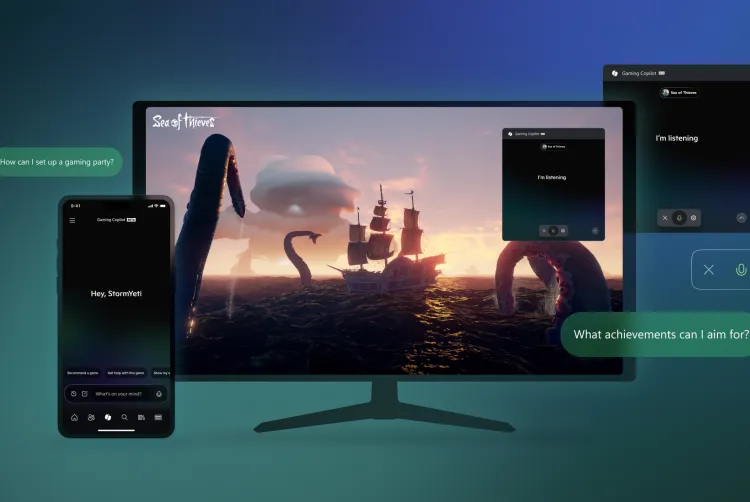
Unlike traditional overlays or third-party tools, Gaming Copilot is more than just a widget. It features a built-in voice mode, enabling players to interact with the AI hands-free. This means you no longer need to pause or minimize your game—simply ask Copilot for guidance, and it responds in real time. Even more impressive, Copilot can analyze in-game screenshots to provide context-specific answers. For instance, if you’re struggling against a challenging boss, you can ask Copilot for help without having to explain the scenario in detail.

Expanding to Mobile and Beyond

The innovation doesn’t stop on PC. Microsoft has confirmed that Gaming Copilot will launch on the Xbox mobile app for both iOS and Android devices starting next month. This allows gamers to use their smartphone or tablet as a second screen companion, freeing up their main display for uninterrupted gameplay.

Additionally, Microsoft is preparing to optimize the Gaming Copilot experience for its upcoming Xbox Ally handheld devices, ensuring seamless integration for on-the-go gaming. Future updates are also expected to bring Copilot to Xbox consoles, expanding its reach across Microsoft’s entire gaming ecosystem.

What Can Gaming Copilot Do?

The AI assistant is designed to be more than a digital helper. Current features include:

  • Game Recommendations: Discover new titles based on your preferences and play history.
  • Achievement Tracking: Instantly view your most recent Xbox achievements without leaving your game.
  • Real-Time Coaching: Get strategies, tips, and recommendations tailored to your gameplay.
  • Team Support: In competitive games like Overwatch 2, Copilot can suggest the best hero picks to complement your squad.

By combining convenience, personalization, and smart AI interaction, Microsoft aims to turn Gaming Copilot into a true gaming coach rather than just a passive assistant.

Why This Matters for the Future of Gaming

Microsoft’s Gaming Copilot represents more than a quality-of-life improvement—it’s a glimpse into the future of AI-driven gaming. As titles grow more complex and competitive, players often seek faster, smarter ways to improve their skills. Copilot has the potential to evolve into an interactive tutor, offering data-driven insights, strategies, and performance reviews, similar to how professional esports coaches train their players.

By bridging PC, mobile, and console platforms, Microsoft is also ensuring that Copilot becomes a unified gaming companion rather than a fragmented feature. This strategy not only strengthens the Xbox ecosystem but also positions Microsoft as a leader in AI integration for entertainment.

Final Thoughts

With Gaming Copilot, Microsoft is reshaping the way players interact with their games. What began as a simple AI widget inside Windows 11 could soon evolve into a personalized AI coach, capable of analyzing gameplay patterns, suggesting strategies, and even enhancing multiplayer teamwork.

As AI becomes an increasingly critical part of modern life, its integration into gaming highlights how technology can enhance—not replace—the human experience. For gamers, Copilot is not just a tool; it’s a sidekick, guide, and mentor all in one.

News

IOS 27 public beta arrives with siri ai overhaul, other Apple updates

By George Mensah 3 min read

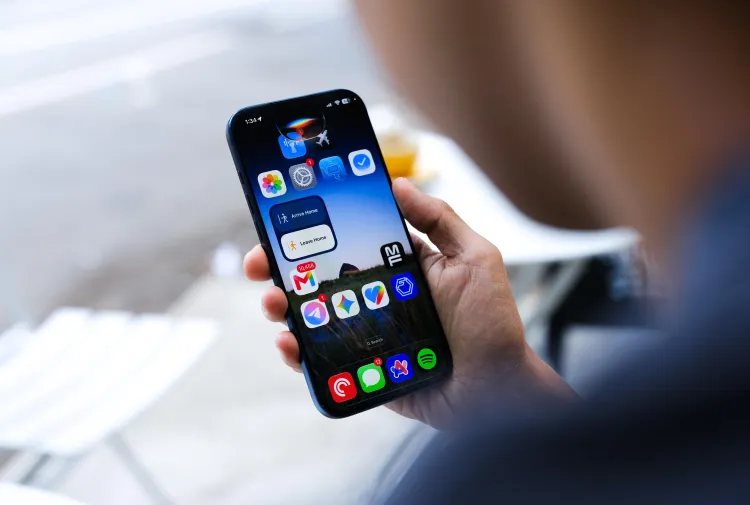
Apple released public betas for iOS 27 and its other major operating system updates on Wednesday, giving users an early look at software set to launch broadly this fall. The headline addition this year is Siri AI, the long-delayed overhaul of Siri that adds AI-powered capabilities to the assistant. Early testing shows the feature actually functions as intended, though its responses tend to stay brief rather than conversational.

Apple also opened public betas for iPadOS 27, watchOS 27, and macOS 27 Golden Gate alongside the iOS update. All four betas are available now for anyone willing to install pre-release software on their devices.

What to expect from beta software

Installing a public beta comes with tradeoffs. Users testing early software may encounter glitches, app crashes, or faster battery drain than they’re used to on a stable release. Apple’s betas are functional but not fully polished, since the company uses this testing period to catch bugs before the official fall release. Anyone considering the install should weigh whether they’re comfortable dealing with those issues on a primary device.

Backing up your device before installing any beta is strongly recommended. If a beta causes problems serious enough to warrant reverting to the current public release, a backup makes that process far easier.

How to join the beta program

To install the iOS 27 public beta, visit Apple’s beta software page at beta.apple.com and sign up for the program. After backing up your device, open the Settings app and navigate to General, then Software Update. A “Beta Updates” section will appear near the top of the screen. Tap it, then select the iOS 27 public beta to begin the download.

The process works similarly across Apple’s other platforms. iPad users follow the same steps within iPadOS settings, while Apple Watch and Mac users can find comparable beta enrollment options within their respective settings menus after signing up through the same beta portal.

Siri AI takes center stage

Siri’s AI-powered update has been one of Apple’s most anticipated software changes in recent years, following repeated delays to the project. The version now available in the iOS 27 beta represents Apple’s first public look at the reworked assistant, and early impressions suggest it performs its core functions reliably. Its tendency toward short, direct answers rather than longer conversational responses marks a notable design choice, one that sets it apart from AI assistants built by competitors that lean toward more expansive replies.

For users who rely heavily on Siri for daily tasks, the beta offers a chance to test the new AI capabilities months before the general public gets access when iOS 27 launches this fall alongside new iPhone hardware expected around the same time.

Apple has not detailed a specific release date for the final version of iOS 27, though the company’s pattern in recent years points to a launch timed with new iPhone announcements in September.

ADVERTISEMENT
Receive the latest news

Subscribe To Our Weekly Newsletter

Get notified about new articles