
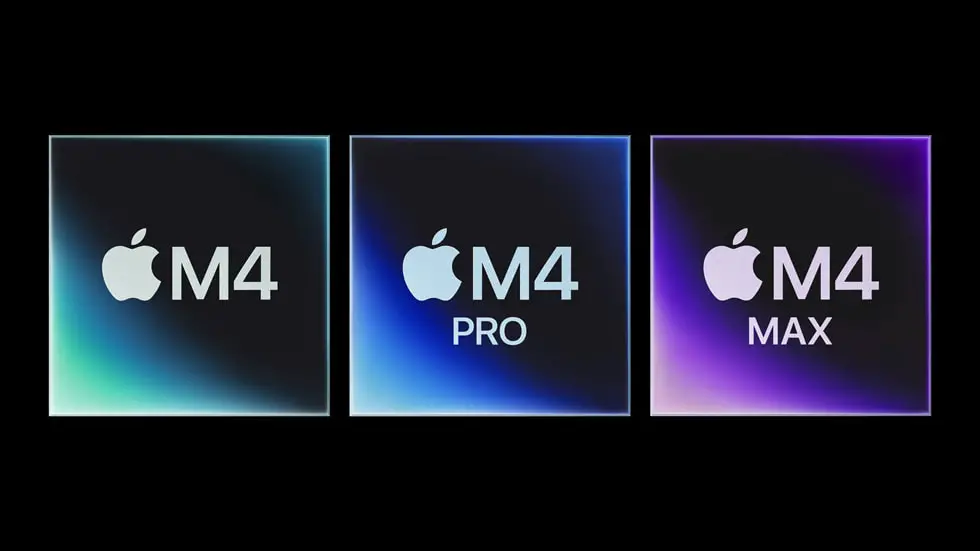
For over a decade, Apple and Intel had a partnership that seemed unshakable. Intel’s processors powered Macs, enabling them to deliver the performance and reliability that Apple users expected. But in 2020, Apple made a groundbreaking announcement: it would transition away from Intel chips and start using its own custom-designed processors, the Apple Silicon M1.
This decision marked a seismic shift in the tech industry, leaving many to wonder: Why did Apple stop using Intel chips? What drove this move, and what does it mean for the future of computing?
In this article, we’ll explore the reasons behind Apple’s decision, the benefits of its custom silicon, and the implications for both Apple and the broader tech landscape.
The Apple-Intel Partnership: A Match Made in Tech Heaven
To understand why Apple moved away from Intel, it’s important to first look at how the partnership began and why it worked for so long.
The Switch to Intel
In 2005, Apple announced it would transition its Mac lineup from PowerPC processors to Intel chips. This move was a game-changer, as Intel’s processors offered better performance, energy efficiency, and compatibility with software. It also allowed Macs to run Windows natively, broadening their appeal.
A Decade of Dominance
For 15 years, Intel chips powered every Mac, from the MacBook Air to the iMac Pro. During this time, Apple’s computers became known for their reliability, speed, and seamless integration with macOS.
The Cracks in the Foundation: Why Apple Decided to Move On
Despite the success of the partnership, cracks began to appear in the Apple-Intel relationship. Several factors contributed to Apple’s decision to part ways with Intel.
1. Intel’s Slowing Innovation
One of the biggest reasons Apple left Intel was the latter’s struggle to keep up with the pace of innovation.
Moore’s Law Slows Down
Intel had long been a pioneer in chip manufacturing, but in recent years, it faced challenges in maintaining the rapid advancements predicted by Moore’s Law. Delays in transitioning to smaller, more efficient manufacturing processes (like 10nm and 7nm) left Intel lagging behind competitors like AMD and TSMC.
Performance Plateaus
Apple’s products thrive on cutting-edge performance, but Intel’s chips were no longer delivering the leaps in speed and efficiency that Apple needed. This stagnation made it harder for Apple to differentiate its products in a competitive market.
2. Apple’s Desire for Control
Apple has always valued control over its products, from hardware to software. Relying on Intel for processors meant Apple had to align its product roadmap with Intel’s release schedule, limiting its ability to innovate.
Vertical Integration
By designing its own chips, Apple could tightly integrate hardware and software, optimizing performance and efficiency. This approach had already proven successful with the A-series chips in iPhones and iPads, which consistently outperformed competitors.
3. Power Efficiency and Battery Life
Intel’s chips were designed for a broad range of devices, from laptops to servers. While this versatility was a strength, it also meant Intel couldn’t optimize its chips specifically for Apple’s needs.
The M1 Advantage
Apple’s M1 chip, built on ARM architecture, was designed with power efficiency in mind. This allowed Macs to deliver incredible performance while consuming less energy, resulting in longer battery life—a key selling point for Apple’s portable devices.
4. Cost Considerations
While Intel chips were powerful, they were also expensive. By designing its own processors, Apple could reduce costs and improve profit margins, especially as it scaled production across its product lineup.
The Transition to Apple Silicon: A Bold Move
In June 2020, Apple announced its transition to Apple Silicon, starting with the M1 chip. This marked the beginning of a new era for Macs.
The M1 Chip: A Game-Changer
The M1 chip was a revelation, offering:
- Blazing Performance: The M1 outperformed many Intel chips while using significantly less power.
- Unified Memory Architecture: This allowed the CPU, GPU, and other components to share memory, improving efficiency and performance.
- Seamless Integration: The M1 was designed to work hand-in-hand with macOS, enabling features like instant wake and optimized app performance.
The Transition Timeline
Apple promised a two-year transition period, during which it would release new Macs with Apple Silicon and update its software to run natively on the new architecture. By 2022, Apple had largely completed the transition, with Intel chips phased out of most Mac models.
The Benefits of Apple Silicon
Apple’s decision to design its own chips has paid off in several ways.
1. Unmatched Performance
Apple Silicon chips like the M1, M1 Pro, M1 Max, and M2 have set new benchmarks for performance, often outperforming Intel’s best offerings.
2. Improved Battery Life
Thanks to their energy efficiency, Apple Silicon Macs offer significantly longer battery life, making them ideal for on-the-go users.
3. Enhanced Software Integration
With control over both hardware and software, Apple can optimize macOS to take full advantage of its chips, resulting in smoother performance and new features.
4. Greater Flexibility
Apple can now release new chips on its own schedule, allowing for faster innovation and more frequent updates to its product lineup.
The Implications for Intel and the Tech Industry
Apple’s move away from Intel has had far-reaching consequences.
A Blow to Intel
Losing Apple as a customer was a significant setback for Intel, both financially and reputationally. It also highlighted Intel’s struggles to compete with rivals like AMD and TSMC.
A Shift in the Industry
Apple’s success with Apple Silicon has inspired other companies to explore custom chip designs. For example, Microsoft and Google have started developing their own processors for specific devices.
The Rise of ARM Architecture
Apple’s transition to ARM-based chips has accelerated the adoption of this architecture in the PC industry, challenging the dominance of x86 processors.
A New Era for Apple
Apple’s decision to stop using Intel chips was a bold move, but it was driven by a clear vision: to create the best possible products by controlling every aspect of their design.
The transition to Apple Silicon has been a resounding success, delivering unmatched performance, efficiency, and integration. It’s a testament to Apple’s commitment to innovation and its ability to take risks in pursuit of excellence.
As Apple continues to push the boundaries of what’s possible with its custom chips, one thing is clear: the future of computing is in Apple’s hands.