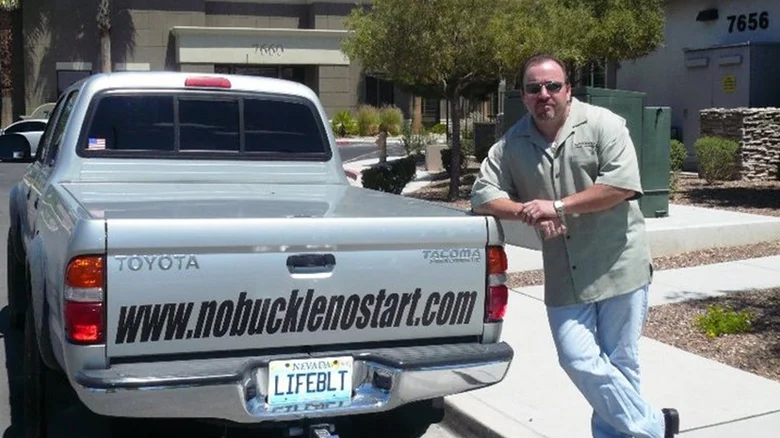
Entrepreneurs often turn to Shark Tank to pitch their innovative ideas, hoping to secure funding and mentorship from the show’s panel of wealthy investors. In Season 1, Episode 2, Robert Allison stepped into the Tank with Lifebelt, a device designed to encourage seatbelt use among teens and save lives. While the invention had a noble purpose, it failed to win over the Sharks. Let’s take a closer look at what happened to Lifebelt on Shark Tank, why it didn’t succeed, and what lessons entrepreneurs can learn from its story.
The Lifebelt Pitch: A Device to Save Lives
Robert Allison’s inspiration for Lifebelt came from personal tragedy. After losing a loved one in a car accident, Allison was determined to prevent similar tragedies by ensuring that everyone in a vehicle buckled up. His invention, Lifebelt, was a system that prevented a car from starting unless all passengers were wearing seatbelts. It also included an alarm that would sound if someone unbuckled while the car was in motion.
According to the National Highway Traffic Safety Administration (NHTSA), 50% of passengers killed in car accidents were not wearing seatbelts. Allison believed Lifebelt could significantly reduce this statistic, making roads safer for everyone.
Lifebelt on Shark Tank: A Tough Sell
Allison entered the Tank seeking 500,000for10500,000for105 million. He explained that his goal was to scale production and partner with auto manufacturers to integrate Lifebelt into new vehicles.
However, the Sharks were skeptical. Kevin Harrington and Daymond John questioned why Allison wasn’t pursuing a licensing model instead of trying to manufacture and sell the product himself. Both Sharks ultimately opted out, citing concerns about the high valuation and the challenges of breaking into the automotive industry.
Kevin O’Leary, known for his cutthroat negotiating style, made an offer—but it wasn’t what Allison had hoped for. O’Leary proposed 500,000for100500,000for1001 million for 100% of the patent but allowing Allison to “call him once.”
Allison declined both offers, stating that the patent was not for sale at any price. He left the Tank without a deal, confident in the value of his invention.
What Happened to Lifebelt After Shark Tank?
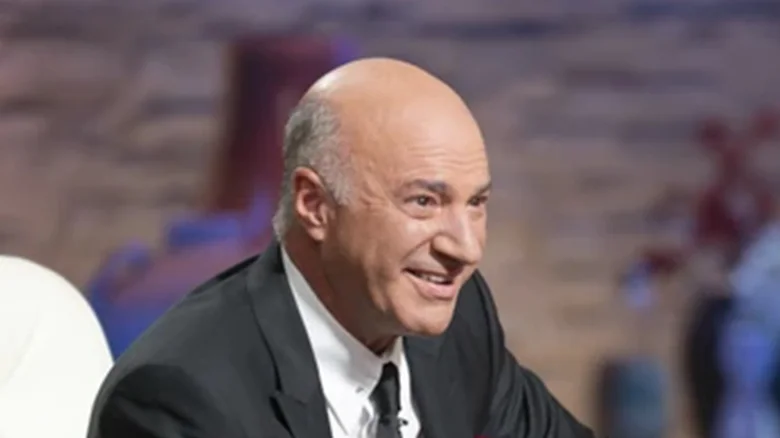
Despite the lack of a deal, Allison’s appearance on Shark Tank brought significant attention to Lifebelt. Unfortunately, much of the feedback from the entrepreneurial community was negative. Many criticized the Sharks’ offers, calling the invention “worthless” and questioning its practicality.
Rumors of a Deal
There were rumors that Allison signed a multi-million dollar deal with the Gillman Automotive Group, but no official confirmation or details were ever released. Without concrete evidence, these claims remain unverified.
The Decline of Lifebelt
By 2016, Lifebelt’s website was no longer active, and the company appeared to have shut down. Allison’s LinkedIn profile indicated that Lifebelt had come to an end, and the brand’s social media accounts (X and Facebook) had been inactive since 2009 and 2010, respectively.
Since then, Allison has listed himself as the CEO of AQSWW, but there is no publicly available information about this company. It seems that Lifebelt’s journey came to an end due to a lack of revenue, partnerships, and market interest.
Why Did Lifebelt Fail?
While Lifebelt had a noble mission, several factors contributed to its downfall:
1. High Valuation and Lack of Traction
Allison’s $5 million valuation was a major sticking point for the Sharks. Without proven sales or partnerships, it was difficult to justify such a high price tag.
2. Challenges in the Automotive Industry
Breaking into the automotive industry is notoriously difficult. Lifebelt would have needed partnerships with major car manufacturers, which are hard to secure without significant resources and industry connections.
3. Market Demand
While seatbelt safety is important, many consumers may not see the need for a device like Lifebelt, especially if they already practice safe driving habits. Additionally, modern vehicles often come equipped with seatbelt reminders and alarms, reducing the demand for an aftermarket solution.
4. Execution and Business Model
Allison’s decision to pursue manufacturing and partnerships instead of licensing may have been a misstep. Licensing the technology to car manufacturers could have been a more viable path to market.
Lessons for Entrepreneurs
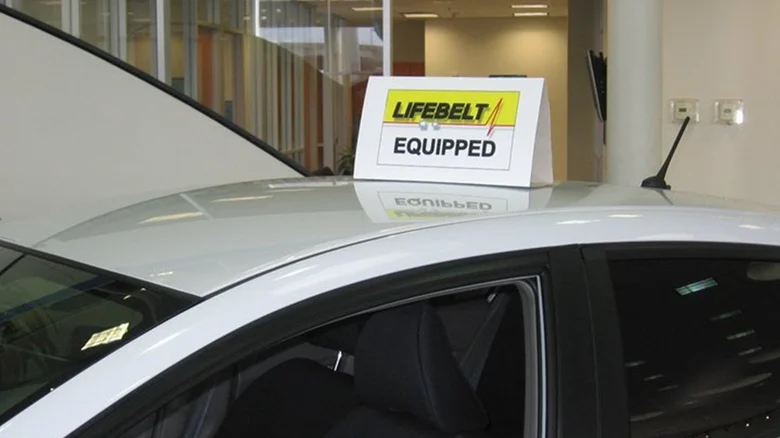
The story of Lifebelt offers valuable lessons for aspiring entrepreneurs:
- Validate Your Market: Before seeking funding, ensure there is a clear demand for your product. Conduct market research and gather feedback from potential customers.
- Be Realistic About Valuation: Overvaluing your company can deter investors. Be prepared to justify your valuation with data and evidence.
- Consider Licensing: If your product is designed for integration into existing systems (like cars), licensing may be a more practical approach than manufacturing.
- Learn from Feedback: Negative feedback can be tough to hear, but it often contains valuable insights. Use it to refine your product and business model.
A Noble Idea That Fell Short
Lifebelt was a well-intentioned invention with the potential to save lives, but it ultimately failed to gain traction in a competitive and challenging market. While Robert Allison’s passion and determination were commendable, the lack of a clear path to market and high valuation proved to be insurmountable hurdles.
For entrepreneurs, Lifebelt’s story is a reminder that even the most innovative ideas need a solid business strategy to succeed. By learning from Allison’s experience, future inventors can better navigate the challenges of bringing their products to market.