
Techfullpost

News

Mind-Blowing Satellite Secrets Revealed: XRISM and Moon Sniper’s Epic Mission

Satellite Secrets Revealed

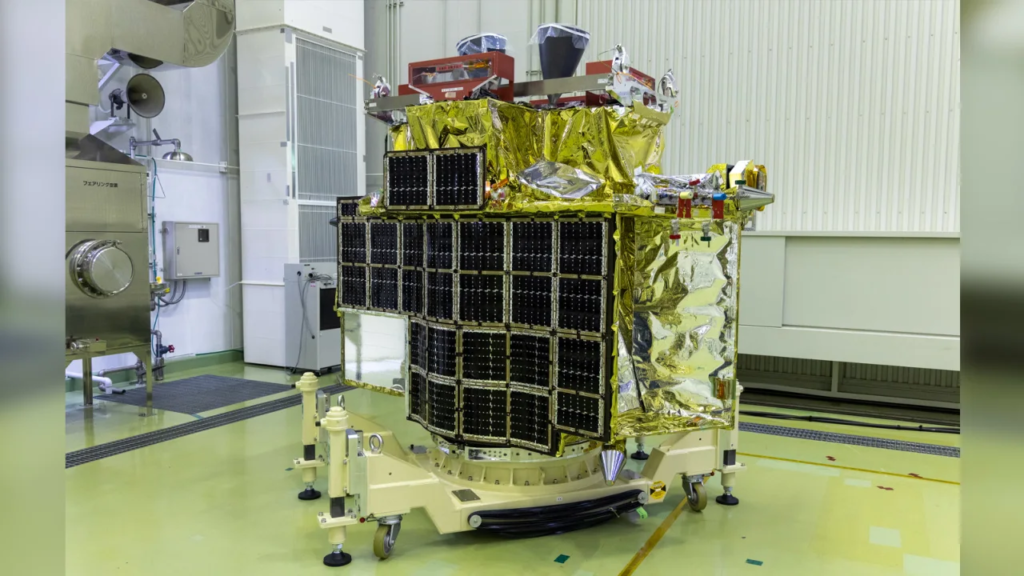
A groundbreaking satellite aimed at revolutionizing our understanding of celestial objects, and a lunar lander known as the “Moon Sniper,” embarked on a momentous journey on Wednesday night.

The Japanese Space Agency (JAXA) launch, after several weather-related delays, took place aboard an H-IIA rocket from the Tanegashima Space Center at 7:42 p.m. ET on Wednesday or 8:42 a.m. Japan Standard Time on Thursday.

The event was streamed live on JAXA’s YouTube channel, providing viewers with broadcasts in both English and Japanese.

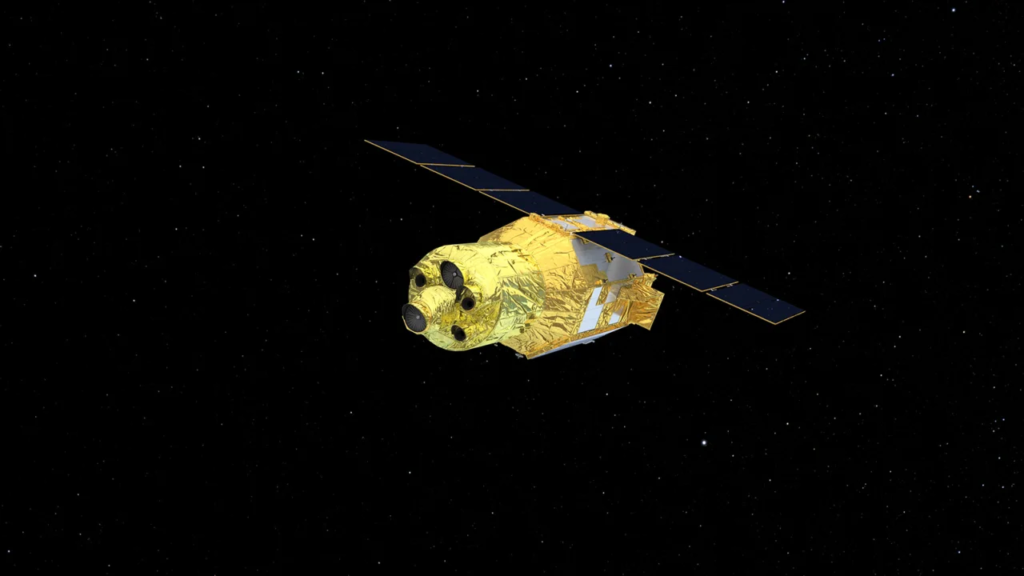
The satellite, officially named XRISM (pronounced “crism”), short for X-Ray Imaging and Spectroscopy Mission, is a collaborative endeavor between JAXA and NASA, with contributions from the European Space Agency and Canadian Space Agency.

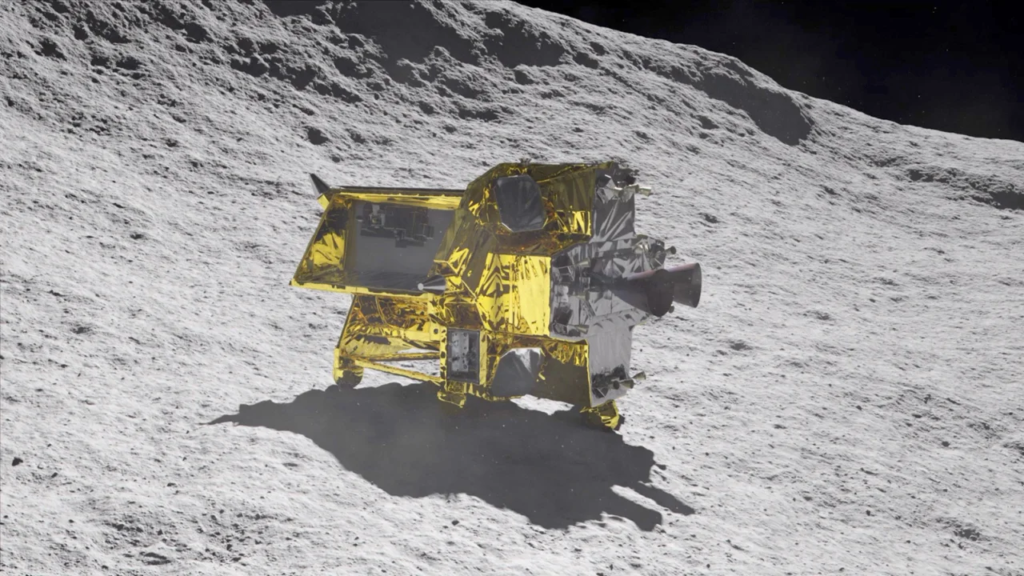
Accompanying XRISM is JAXA’s SLIM, or Smart Lander for Investigating Moon. This compact lunar lander is engineered to demonstrate an extremely precise landing within 100 meters (328 feet), as opposed to the typical kilometer range, utilizing high-precision landing technology. This remarkable precision earned the mission its moniker, “Moon Sniper.”

According to NASA, the satellite and its two instruments will focus on observing the universe’s hottest regions, largest structures, and objects with the most substantial gravitational forces. XRISM’s primary function is to detect X-ray light, a wavelength that is invisible to the human eye.

X-rays are emitted by some of the most energetic objects and events in the cosmos, which is why astronomers are eager to study them.

The satellite is equipped with thousands of curved, nested mirrors specifically designed for detecting X-rays, in contrast to other wavelengths of light. Upon reaching orbit, XRISM will require several months of calibration. The mission is designed to operate for three years.
XRISM is capable of detecting X-rays with energies ranging from 400 to 12,000 electron volts, significantly beyond the energy levels of visible light, which typically ranges from 2 to 3 electron volts, according to NASA. This broad range of detection will enable the study of cosmic phenomena across the universe.

The satellite houses two instruments: Resolve and Xtend. Resolve tracks minute temperature fluctuations to determine the source, composition, motion, and physical state of X-rays. Resolve operates at a chilling temperature of minus 459.58 degrees Fahrenheit (minus 273.10 degrees Celsius), approximately 50 times colder than deep space, thanks to a container of liquid helium.

This instrument will enable astronomers to unlock the mysteries of cosmic phenomena, including the chemical details of hot gas within galactic clusters.

Meanwhile, Xtend provides XRISM with one of the most extensive fields of view on an X-ray satellite.

“The spectra XRISM collects will be the most detailed we’ve ever seen for some of the phenomena we’ll observe,” said Brian Williams, NASA’s XRISM project scientist at Goddard. “The mission will provide us with insights into some of the most difficult places to study, like the internal structures of neutron stars and near-light-speed particle jets powered by black holes in active galaxies.”

In parallel, SLIM will employ its own propulsion system to embark on a journey toward the moon. The spacecraft will reach lunar orbit approximately three to four months after launch, orbit the moon for one month, and then begin its descent, aiming for a soft landing within four to six months after launch. If the lander achieves its goal, it will also conduct a brief study of the lunar surface.
Unlike recent lunar lander missions that have targeted the moon’s south pole, SLIM has set its sights on a location near a small lunar impact crater called Shioli, near the Sea of Nectar. Here, it will investigate rock compositions that could help scientists uncover the moon’s origins. The chosen landing site is just south of the Sea of Tranquility, where Apollo 11 made its historic landing near the moon’s equator in 1969.

Achieving precise landings on the moon is a significant goal for JAXA and other space agencies, particularly in resource-rich areas such as the lunar south pole, where permanently shadowed regions contain water ice, and numerous hazards like craters and rocks must be navigated. Future missions will require pinpoint landings to avoid these obstacles.

Moreover, SLIM’s lightweight design holds promise for agencies planning more frequent missions and exploring the moons of other planets, such as Mars. If SLIM achieves its objectives, JAXA believes it will revolutionize missions from “landing where we can” to “landing where we want.”

ADVERTISEMENT
RECOMMENDED
News

Xbox Copilot from Microsoft is now available on Windows 11 PCs globally

By George Mensah 3 min read

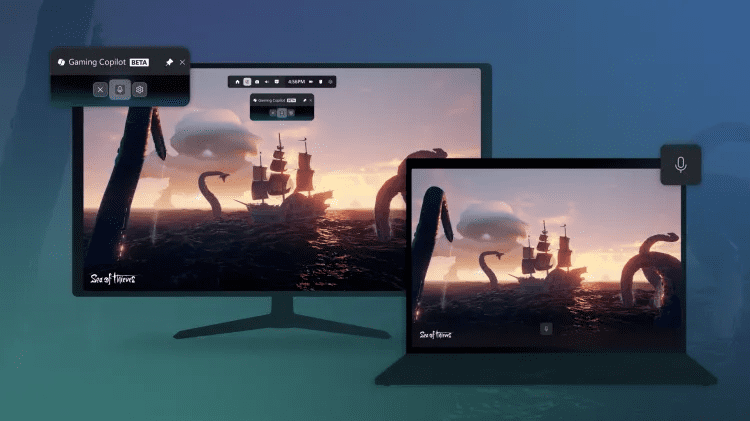
Microsoft is taking a bold step forward in blending artificial intelligence with gaming experiences. After weeks of limited testing, the company has officially begun rolling out its new Gaming Copilot to all Windows 11 users worldwide, with availability in nearly every region except mainland China. What started as a small preview has now become a global release, marking one of Microsoft’s most ambitious pushes into AI-powered gaming assistance.

Gaming Copilot Arrives on Windows 11

As part of today’s rollout, PC players will begin seeing Gaming Copilot integrated directly into the Windows Game Bar, the native overlay tool designed for quick access during gameplay. According to Taylor O’Malley, Principal Program Manager at Xbox, the rollout will happen gradually over the next few weeks.

Unlike traditional overlays or third-party tools, Gaming Copilot is more than just a widget. It features a built-in voice mode, enabling players to interact with the AI hands-free. This means you no longer need to pause or minimize your game—simply ask Copilot for guidance, and it responds in real time. Even more impressive, Copilot can analyze in-game screenshots to provide context-specific answers. For instance, if you’re struggling against a challenging boss, you can ask Copilot for help without having to explain the scenario in detail.

Expanding to Mobile and Beyond

The innovation doesn’t stop on PC. Microsoft has confirmed that Gaming Copilot will launch on the Xbox mobile app for both iOS and Android devices starting next month. This allows gamers to use their smartphone or tablet as a second screen companion, freeing up their main display for uninterrupted gameplay.

Additionally, Microsoft is preparing to optimize the Gaming Copilot experience for its upcoming Xbox Ally handheld devices, ensuring seamless integration for on-the-go gaming. Future updates are also expected to bring Copilot to Xbox consoles, expanding its reach across Microsoft’s entire gaming ecosystem.

What Can Gaming Copilot Do?

The AI assistant is designed to be more than a digital helper. Current features include:

  • Game Recommendations: Discover new titles based on your preferences and play history.
  • Achievement Tracking: Instantly view your most recent Xbox achievements without leaving your game.
  • Real-Time Coaching: Get strategies, tips, and recommendations tailored to your gameplay.
  • Team Support: In competitive games like Overwatch 2, Copilot can suggest the best hero picks to complement your squad.

By combining convenience, personalization, and smart AI interaction, Microsoft aims to turn Gaming Copilot into a true gaming coach rather than just a passive assistant.

Why This Matters for the Future of Gaming

Microsoft’s Gaming Copilot represents more than a quality-of-life improvement—it’s a glimpse into the future of AI-driven gaming. As titles grow more complex and competitive, players often seek faster, smarter ways to improve their skills. Copilot has the potential to evolve into an interactive tutor, offering data-driven insights, strategies, and performance reviews, similar to how professional esports coaches train their players.

By bridging PC, mobile, and console platforms, Microsoft is also ensuring that Copilot becomes a unified gaming companion rather than a fragmented feature. This strategy not only strengthens the Xbox ecosystem but also positions Microsoft as a leader in AI integration for entertainment.

Final Thoughts

With Gaming Copilot, Microsoft is reshaping the way players interact with their games. What began as a simple AI widget inside Windows 11 could soon evolve into a personalized AI coach, capable of analyzing gameplay patterns, suggesting strategies, and even enhancing multiplayer teamwork.

As AI becomes an increasingly critical part of modern life, its integration into gaming highlights how technology can enhance—not replace—the human experience. For gamers, Copilot is not just a tool; it’s a sidekick, guide, and mentor all in one.

News

IOS 27 public beta arrives with siri ai overhaul, other Apple updates

By George Mensah 3 min read

Apple released public betas for iOS 27 and its other major operating system updates on Wednesday, giving users an early look at software set to launch broadly this fall. The headline addition this year is Siri AI, the long-delayed overhaul of Siri that adds AI-powered capabilities to the assistant. Early testing shows the feature actually functions as intended, though its responses tend to stay brief rather than conversational.

Apple also opened public betas for iPadOS 27, watchOS 27, and macOS 27 Golden Gate alongside the iOS update. All four betas are available now for anyone willing to install pre-release software on their devices.

What to expect from beta software

Installing a public beta comes with tradeoffs. Users testing early software may encounter glitches, app crashes, or faster battery drain than they’re used to on a stable release. Apple’s betas are functional but not fully polished, since the company uses this testing period to catch bugs before the official fall release. Anyone considering the install should weigh whether they’re comfortable dealing with those issues on a primary device.

Backing up your device before installing any beta is strongly recommended. If a beta causes problems serious enough to warrant reverting to the current public release, a backup makes that process far easier.

How to join the beta program

To install the iOS 27 public beta, visit Apple’s beta software page at beta.apple.com and sign up for the program. After backing up your device, open the Settings app and navigate to General, then Software Update. A “Beta Updates” section will appear near the top of the screen. Tap it, then select the iOS 27 public beta to begin the download.

The process works similarly across Apple’s other platforms. iPad users follow the same steps within iPadOS settings, while Apple Watch and Mac users can find comparable beta enrollment options within their respective settings menus after signing up through the same beta portal.

Siri AI takes center stage

Siri’s AI-powered update has been one of Apple’s most anticipated software changes in recent years, following repeated delays to the project. The version now available in the iOS 27 beta represents Apple’s first public look at the reworked assistant, and early impressions suggest it performs its core functions reliably. Its tendency toward short, direct answers rather than longer conversational responses marks a notable design choice, one that sets it apart from AI assistants built by competitors that lean toward more expansive replies.

For users who rely heavily on Siri for daily tasks, the beta offers a chance to test the new AI capabilities months before the general public gets access when iOS 27 launches this fall alongside new iPhone hardware expected around the same time.

Apple has not detailed a specific release date for the final version of iOS 27, though the company’s pattern in recent years points to a launch timed with new iPhone announcements in September.

ADVERTISEMENT
Receive the latest news

Subscribe To Our Weekly Newsletter

Get notified about new articles